
Shipstation
Big Shipping Power. Small Shipping Costs.
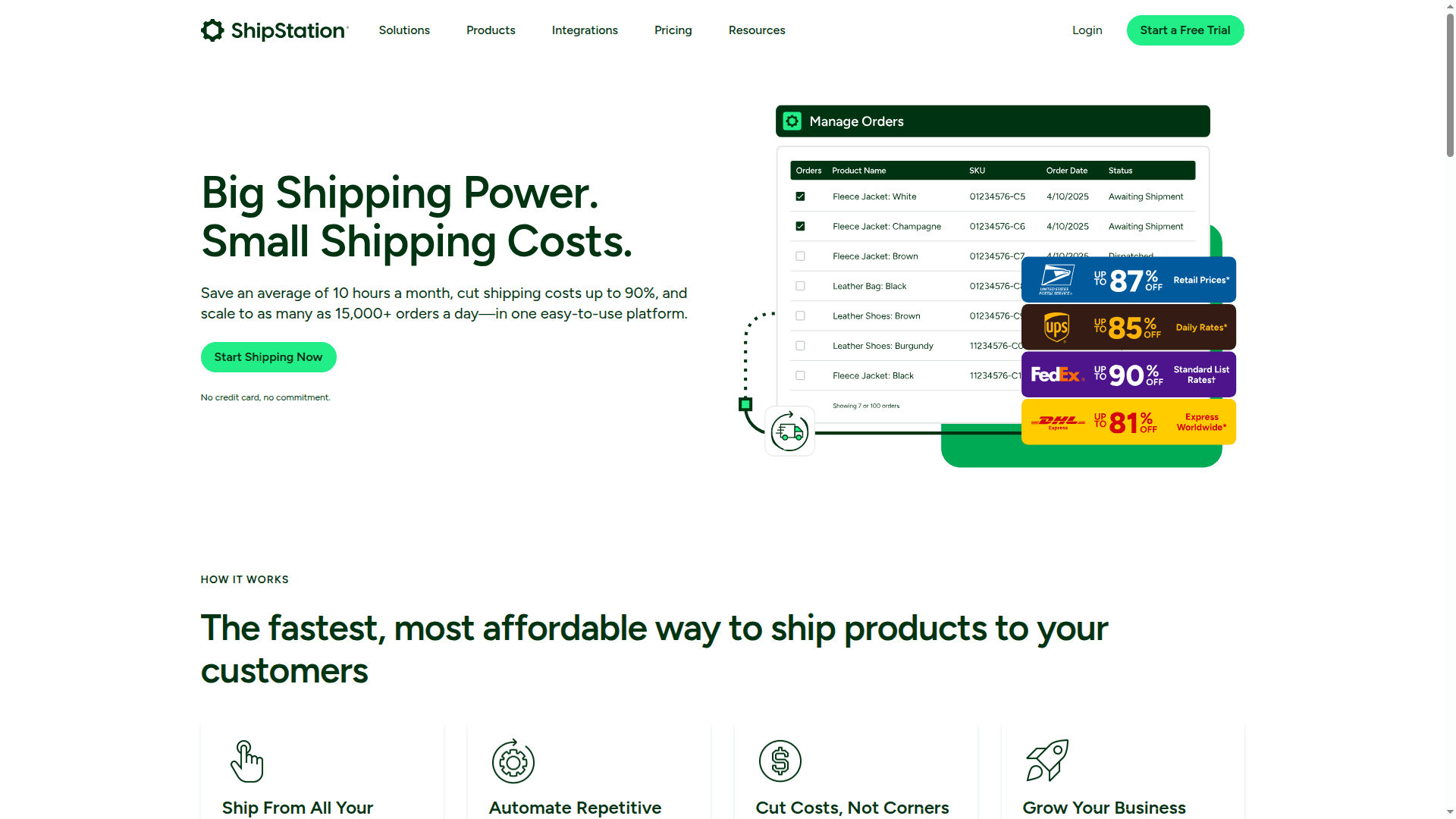
ShipStation is the #1 ecommerce shipping solution. Import, manage, and ship your orders from one platform, saving time and money. Integrates with over 180 selling channels and carriers.
ShipStation, in plain English
ShipStation is an easy-to-use shipping and fulfillment hub that pulls in orders from all your sales channels, helps you pick/pack/label in bulk, and keeps customers updated with your branding at every step. Think of it as the “one screen” your back office uses to ship smarter, faster, and cheaper. (shipstation.com)
Why it matters for a solid Back Office
One source of truth for orders and shipping so ops, support, and finance look at the same data. ShipStation centralizes orders from hundreds of integrations and pushes tracking back to the channel automatically. (shipstation.com)
Built‑in controls and repeatable workflows (automation rules, user permissions, and batch processing) reduce manual clicks and errors. (help.shipstation.com)
Cost control baked in with rate shopping and pre‑negotiated discounts you can use alongside your own carrier accounts. (shipstation.com)
Clean customer comms via branded emails, tracking pages, and a self‑service returns portal, which lowers “Where’s my order?” tickets. (help.shipstation.com)
Decision support through dashboards and exportable reports that make reconciliations and KPI reviews straightforward. (help.shipstation.com)
What you can do in ShipStation
Connect everywhere you sell and ship
Plug in to your storefronts, marketplaces, ERPs, and carriers with 400+ out‑of‑the‑box integrations. Bring your own carrier accounts too. (shipstation.com)
Get automatic shipping updates (carrier, tracking number, status) posted back to the channel after you create the label. (shipstation.com)
Automate the busywork
Use IF/THEN automation rules to set services, package types, ship‑froms, tags, and assignees based on order data (weight, destination, SKU, tags, risk flags, and more). (help.shipstation.com)
Auto‑split and route items when products need different boxes, ship from different warehouses, or are on backorder. (help.shipstation.com)
Ship smarter and cheaper
Compare services with rate shopping and tap pre‑negotiated discounts: for example, up to 88% off USPS, up to 83% off UPS international, and up to 81% off DHL Express. You can still use your negotiated rates side‑by‑side. (help.shipstation.com)
Access ShipStation Carrier Services with a single postage balance and no surprise residential surcharges on UPS Ground. Note: many discounts apply to U.S. shippers and can change. (shipstation.com)
Run an efficient warehouse
Batch hundreds of labels, pick lists, and packing slips while you keep working—labels generate in the background. (help.shipstation.com)
Use barcode‑driven Scan to Verify / Scan to Print workflows to cut packing errors and speed up the bench. (help.shipstation.com)
Create pick lists the way your aisles are laid out (by SKU, by location, grouped, with thumbnails). (help.shipstation.com)
Manage multiple Ship From Locations for multi‑warehouse operations. (help.shipstation.com)
Split or combine shipments cleanly without breaking channel updates. (help.shipstation.com)
Keep customers in the loop (with your brand)
Send branded shipment and delivery emails and route customers to a branded tracking page instead of the carrier site. (help.shipstation.com)
Offer a branded returns portal so customers can generate domestic return labels themselves (within supported carriers). (help.shipstation.com)
Go mobile—on the floor or on the go
The mobile app lets you import orders, create/void labels, verify addresses, track shipments, pick with your phone, and view analytics—handy for small teams and spot checks. (help.shipstation.com)
Work in‑house or with a 3PL (or both)
Push orders to 3PLs (including FBA) and receive tracking back automatically, or manage multiple clients under one account with the ShipStation 3PL add‑on. (help.shipstation.com)
Get inventory under control
Track stock, set low‑stock alerts, and (when enabled) sync available inventory back to major channels to prevent overselling. (help.shipstation.com)
Measure and improve
Use dashboards and 20+ reports (shipping costs, on‑time trends, batch detail, item demand, low stock, and more) for recurring ops reviews and accounting exports. (help.shipstation.com)
Controls and governance your back office will appreciate
Granular user permissions (e.g., who can buy labels, add carriers, export data, view billing) and “dropship‑style” user views for limited access. (help.shipstation.com)
Consistent SOPs via automation rules, presets, and scan flows that make peak season repeatable. (help.shipstation.com)
Clean data handoffs to finance and CX with exportable reports and branded customer notifications. (help.shipstation.com)
Who it’s great for
Growing brands that need multichannel order control without building custom tooling. (shipstation.com)
Ops teams looking to cut label time and packing errors with batches, automation, and scan‑based QA. (help.shipstation.com)
Cost‑conscious shippers that want instant access to discounted rates while keeping their own contracts. (help.shipstation.com)
Multi‑warehouse or 3PL workflows that require split shipments, configurable pick lists, and shared visibility. (help.shipstation.com)
Quick takeaways
Centralize orders, inventory, and shipping in one place. (shipstation.com)
Automate repeat tasks so your team focuses on exceptions, not busywork. (help.shipstation.com)
Lower shipping spend with carrier comparisons and built‑in discounts. (help.shipstation.com)
Reduce support load with branded tracking and self‑service returns. (help.shipstation.com)
Make better decisions with real‑time dashboards and exportable reports. (help.shipstation.com)
Notes and limitations to keep in mind
Some features (like certain rate discounts and returns) are country‑specific and can change; always confirm current availability for your origin country. (shipstation.com)
Branded tracking and delayed notifications require carriers that send auto‑tracking to ShipStation; a few carriers don’t. (help.shipstation.com)
If you want, tell me your stack and shipping profile, and I’ll outline a minimal, back‑office‑friendly setup in ShipStation that fits your team size, channels, and order volume.

